Everything in your vault, and what it does for you.
What OnlyWallet does today, in detail. All of it is free and encrypted on your device.
Documents and records
Ready-made templates with the right fields for Indian documents, so nothing important is a photo lost in your gallery.
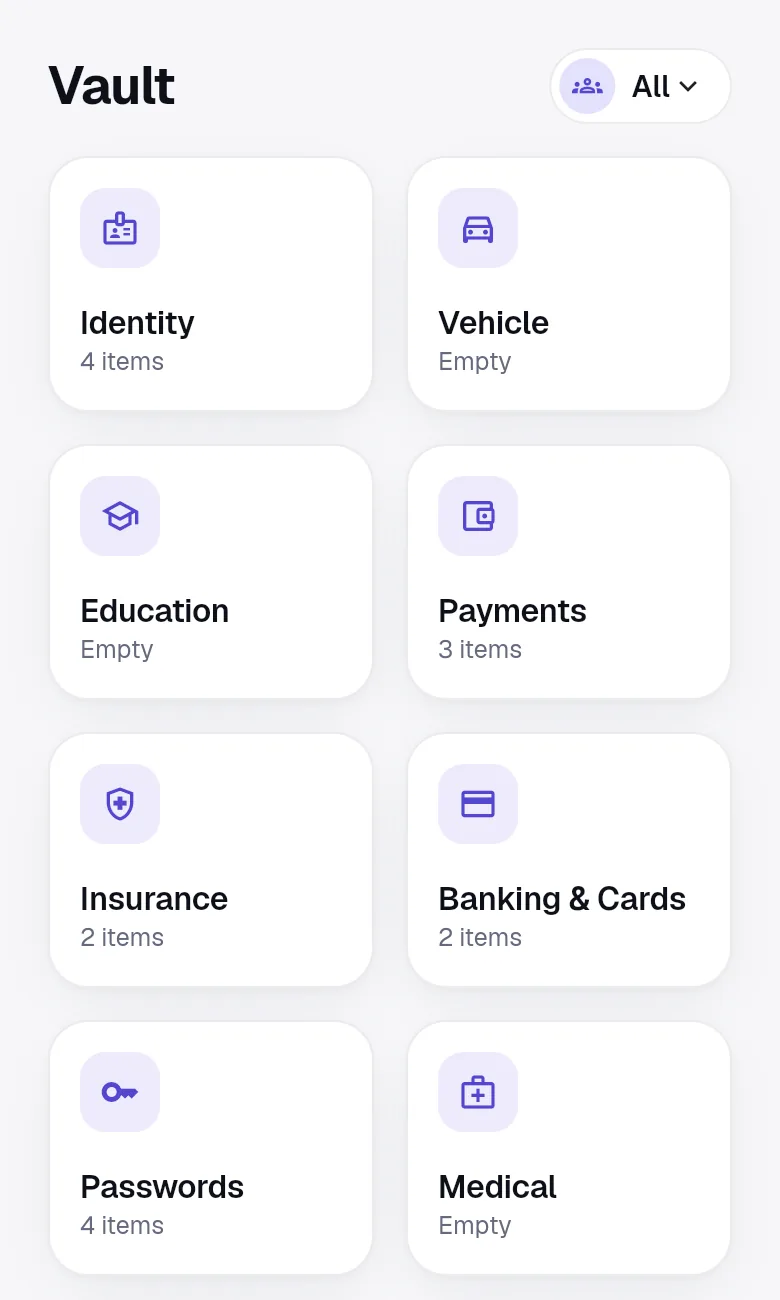
- 41 templates, 10 categories
- Identity, vehicle, education, payments, insurance, banking and cards, passwords, medical, property and work, notes and custom items.
- Built for India
- Aadhaar with its checksum, PAN, passport, voter ID, driving licence, RC, PUC, FASTag, Form 16, rent agreements and more.
- Encrypted fields
- Numbers, addresses, PINs, CVVs and notes are encrypted on your device. Copy any field, and copies clear after 30 seconds.
- Private titles
- Mark a title private and even the name of the item is encrypted. Lists and reminders then show only its category.
- Attachments
- Add photos and PDFs, including multi-page documents. Each file is encrypted with its own key and stored in your Google Drive.
- Links and tags
- Connect a car to its RC, insurance and loan. Add tags and your own sections to group things your way.
- Family profiles
- Keep documents for your spouse, children and parents in one vault and filter by person.
- Recently deleted
- Deleted items wait 30 days before they are gone, so a slip of the finger is always undoable.
Scan and fill on your device
Point the camera or pick a PDF. OnlyWallet reads it on the device and fills the form, then asks you to check.
- Document type detection
- Recognises PAN, Aadhaar, driving licence, passport, RC, insurance policies and 10th or 12th marksheets.
- Fields filled for you
- Names, dates, numbers, policy details and more, matched to the right labels. Unsure fields offer choices instead of a guess.
- Nothing leaves the device
- Text recognition runs on the phone or in your browser. No document is sent to a server or a third-party service to be read.
- Searchable scans
- Scanned text is saved inside the encrypted item, so you can find a document by any word printed on it.
Payments, EMIs and bills
Everything that leaves your account each month, on one calendar with clear totals.
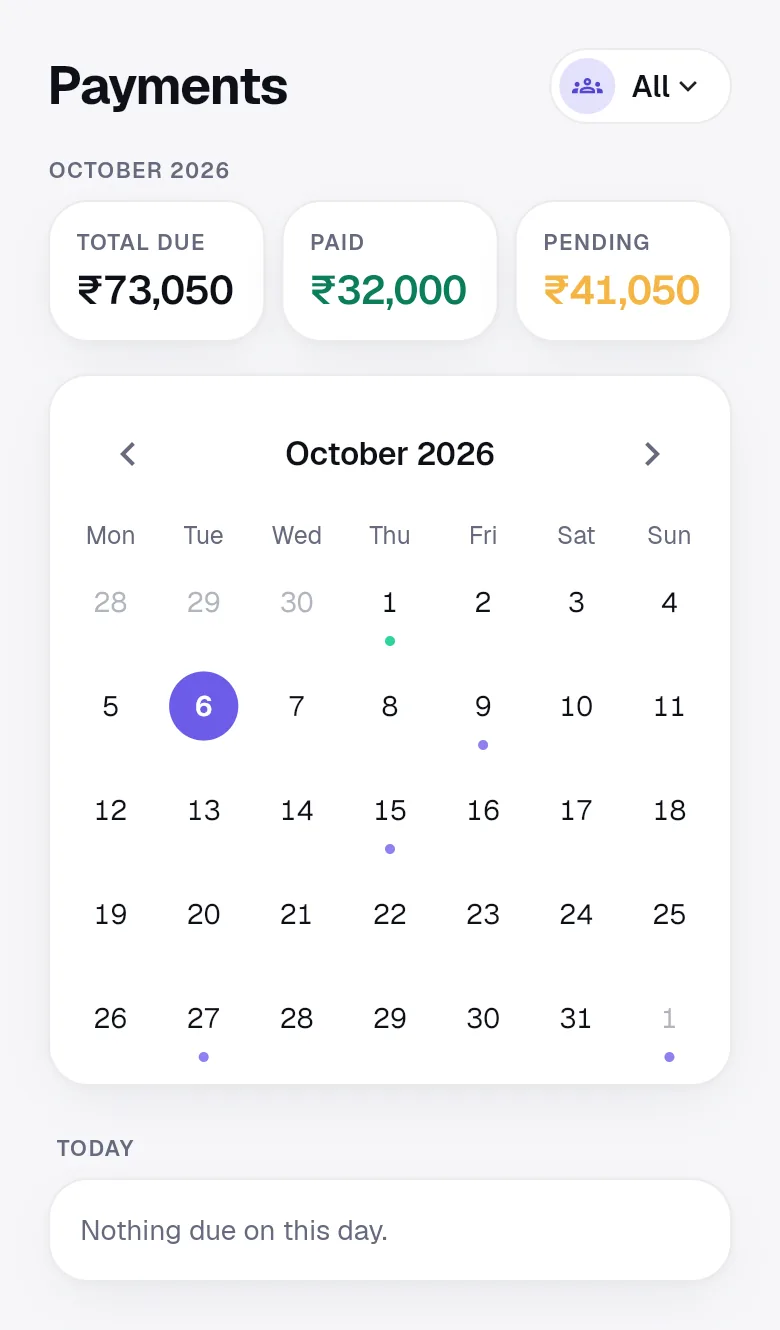
- Monthly calendar
- Total due, paid and pending for the month, with dots on every due date.
- Loans and EMIs
- Enter the loan once and see the EMI, total interest, outstanding principal and a month by month schedule.
- Rent, bills and SIPs
- Card bills, electricity, mobile, subscriptions, SIPs and insurance premiums, monthly, quarterly, half-yearly or yearly.
- Mark paid or skip
- Record the amount, date and mode (UPI, card, net banking, cash or auto-debit), or skip a cycle.
- Bills that change
- Set this month's amount for a card or electricity bill without changing the usual amount.
- Import a bill message
- Paste a bank or biller SMS or email. The amount and due date are read on your device and matched to the right item.
Reminders
Nudges early enough to act on, and quiet enough to live with.
- Expiry reminders
- Passports from 270 days ahead, licences, RCs and policies from 60 days, plus the day itself.
- Due date reminders
- 3 days and 1 day before a payment and on the day, then a nudge if it is still unpaid.
- Quiet hours
- Nothing between 10 pm and 8 am by default. Alerts wait until the morning.
- Per category
- Turn reminders on or off for each of the 10 categories.
- Discreet notifications
- Notifications say only that something is due or expiring. Titles and amounts are never in a push message.
Passwords
A password manager inside your vault, protected by the same master password.
- Logins with 2FA codes
- Store a username, password and authenticator key. OnlyWallet shows the one-time code with a countdown.
- Generator
- Strong passwords or passphrases in one tap, from the dashboard or right inside the login form.
- Password health
- A score that flags weak, reused and old passwords and logins without two-factor codes. Computed in memory, never stored.
- Autofill on Android
- Choose OnlyWallet as the autofill service and fill logins in apps and browsers after unlocking.
- Browser extension
- A Chrome and Edge extension fills and saves logins on https sites. It is coming to the extension stores soon.
- No favicon lookups
- Sites appear as letter avatars, so no third party learns which accounts you keep.
Emergency access
If something happens to you, the right person can still find your policies and papers.
- Trusted contact
- Name a person who uses OnlyWallet and pick a waiting period of 1, 3, 7, 14 or 30 days.
- You stay in control
- If they request access, you are notified and can reject it. Access opens only after the wait.
- Read-only
- They can read your personal vault. They cannot change it, and your shared spaces stay out of reach.
- Revoke any time
- Removing the contact deletes their grant and the sealed key together.
Search, offline and backups
Fast to find, fine without a signal, and yours to take with you.
- Universal search
- Search titles, tags, fields, file names and scanned text across your vault and spaces. The index lives in memory and clears on lock.
- Works offline
- View, search, add and edit with no connection. Changes sync when you are back online.
- Conflicts, not overwrites
- If two devices changed the same item, you see both versions field by field and choose.
- Encrypted backup
- Export your whole vault to one file locked with its own password, and restore it into any vault.
Device protection
Small safeguards that add up when a phone is lost or left unlocked.
- Auto-lock
- Lock immediately or after 1, 5 or 15 minutes, in the background and when the screen is left idle.
- Fingerprint and Face ID
- Unlock with biometrics on phones. Off by default, and never on the web.
- Wrong password back-off
- After five wrong master passwords, each new attempt waits longer, up to 15 minutes.
- Screen privacy
- On Android, screenshots and screen recording are blocked. The app switcher shows a privacy cover.
- Clean lock
- Locking wipes the key from memory, clears decrypted items, the search index and anything OnlyWallet copied.
Read more by use case
Common questions
Which Indian documents does OnlyWallet have templates for?
Aadhaar, PAN, passport, voter ID, driving licence, vehicle RC, vehicle insurance, PUC, FASTag, service records, 10th and 12th marksheets, degree certificates and transcripts, loans and EMIs, credit card bills, rent, utility bills, subscriptions, SIPs, health, life, motor and home insurance, bank accounts, debit and credit cards, UPI IDs, logins, prescriptions, medical reports, vaccinations, rent agreements, sale deeds, offer letters, payslips, Form 16, secure notes and custom items.
Can I scan documents on the web app?
The camera scanner is a phone feature. On the web you can upload a PDF or a photo, and OnlyWallet reads it in your browser with a self-hosted text reader. The document is not uploaded anywhere to be read.
Does OnlyWallet pay my bills?
No. OnlyWallet tracks what is due and reminds you. You pay through your bank or UPI app as usual and mark the payment paid, or paste the payment message to mark it automatically.
How many people can be in a family space?
Up to 10 app users per family, and you can belong to several families. People without the app, such as young children, can be added as managed members.
Is the app in Hindi or other Indian languages?
The app is in English today, with amounts in rupees and Indian digit grouping. You can type names and notes in any language.
Put your important things somewhere safe.
Open the web app, sign in with Google and create your master password. Your vault is ready in a few minutes, and it is free.